Clear Approve — Email Snapshots from Google Sheets
Send, schedule, or auto-trigger clean email snapshots from Google Sheets. No screenshots. No file sharing. No spreadsheet access required for recipients.
✓ Free trial · 3 ways to share · Only accesses the current sheet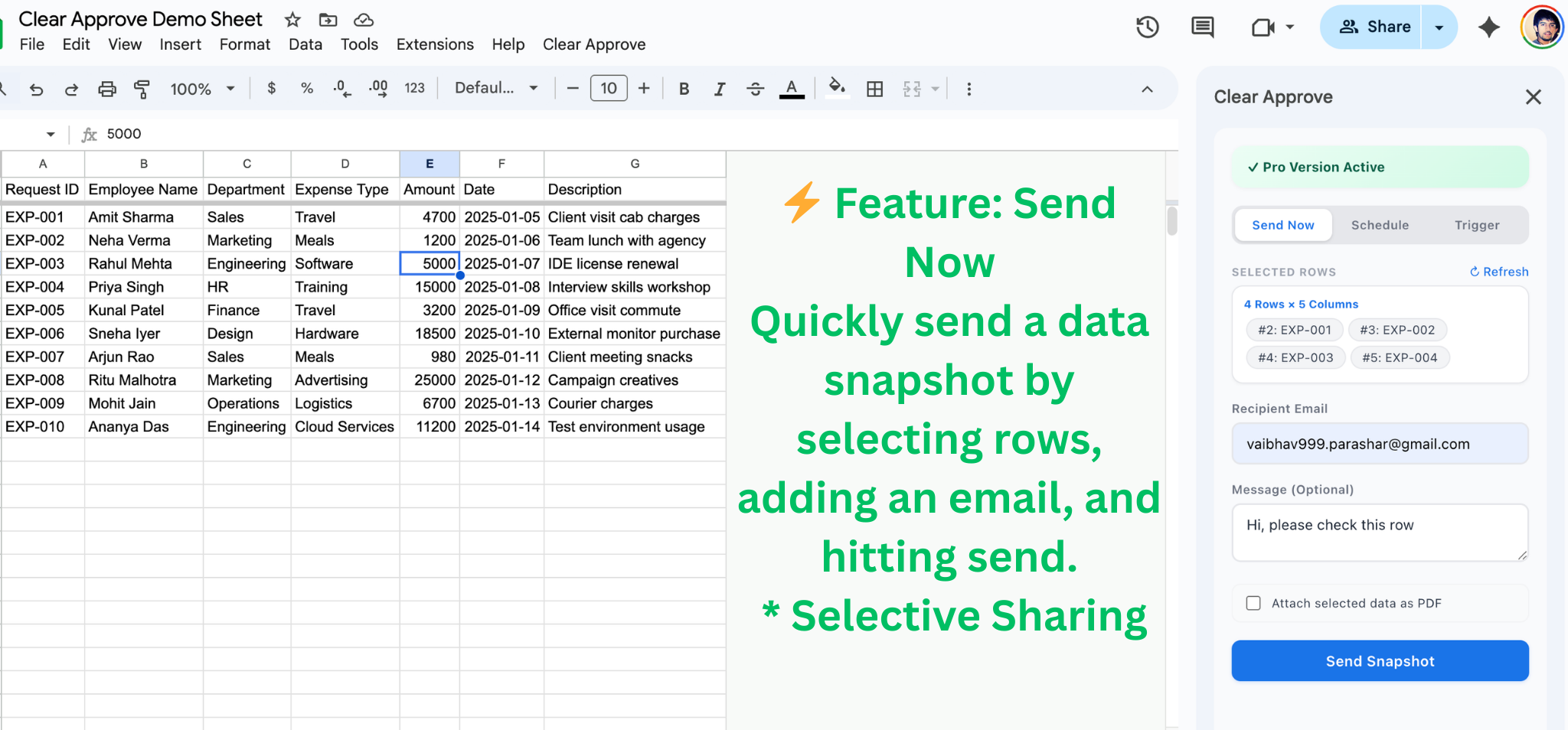
See it in action
Watch a quick demo
Select rows in Google Sheets and send a clean snapshot by email.
Three ways to share
Send now, schedule it, or let data trigger it
Send Now
Select rows and send a clean snapshot instantly. You control exactly what gets shared.
Schedule
Set up daily, weekly, or monthly automated snapshots. Reports go out on time, every time.
Smart Trigger
Auto-send when a cell value changes to match your condition. No manual checks needed.
How it works
From sheet to inbox in seconds
- Open Clear Approve from the Extensions menu inside your Google Sheet.
- Select rows you want to share. Only the selected data is included.
- Automatic formatting turns small selections into clean email cards and larger selections into a PDF attachment.
- Click Send. Nothing is shared until you explicitly send it.
- Recipients receive a snapshot they can read instantly — no Sheet access required.
Automated reports
Schedule recurring snapshots
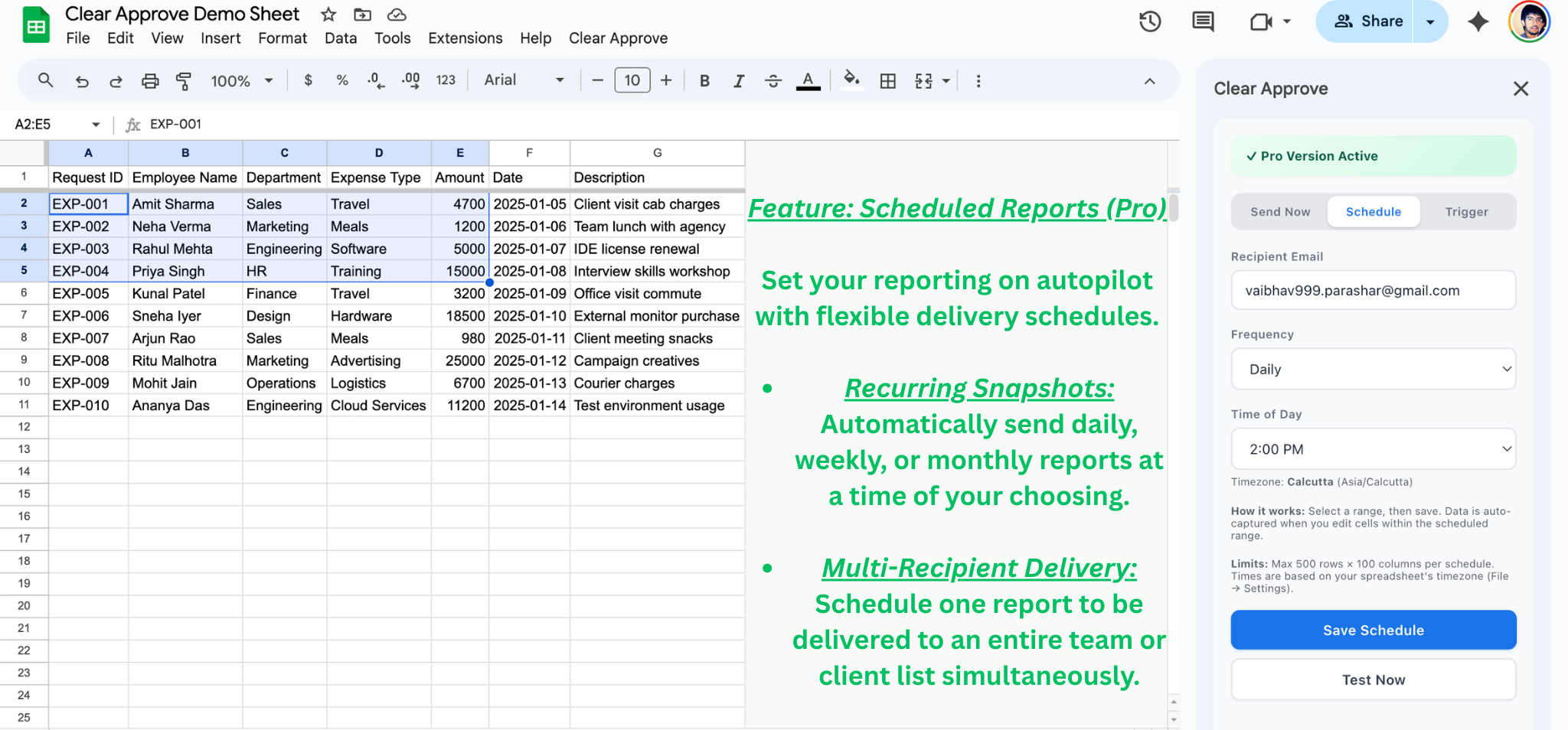
Set it once, and Clear Approve sends snapshot emails on your schedule — no manual work required.
- Pick your rows and recipients — same as a manual send, but in the Schedule tab.
- Choose a frequency: daily, weekly (pick the day), or monthly (pick the date).
- Set the time and Clear Approve handles the rest. Snapshots capture the latest data at send time.
- Edit or cancel anytime from the sidebar. You stay in full control.
Event-driven
Auto-send when your data changes
.png)
Smart Triggers watch a column for value changes and fire an email the moment a condition is met.
- Pick a trigger column — for example, a "Status" or "Approval" column.
- Set the condition: equals, contains, greater than, less than, or not equal to a value you define.
- Choose your rows and recipients. When any cell in the trigger column changes to match, that row's snapshot is sent automatically.
- Each row fires once per transition, so recipients aren't spammed with duplicates.
What recipients see
Clean, read-only snapshots
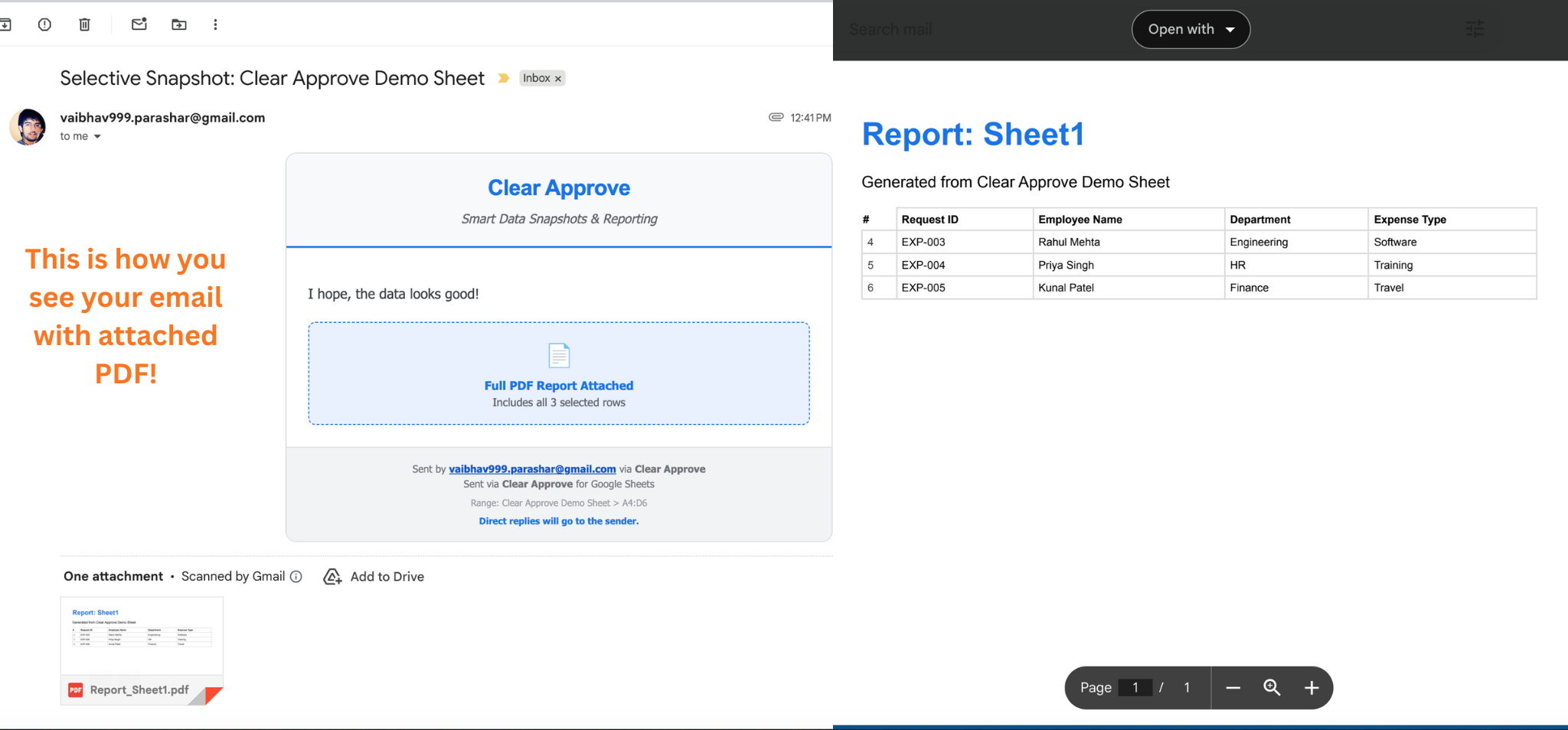
Recipients receive a clear, professional snapshot of exactly the rows you selected — no spreadsheet access, no downloads required.
PDF snapshot (for larger selections)
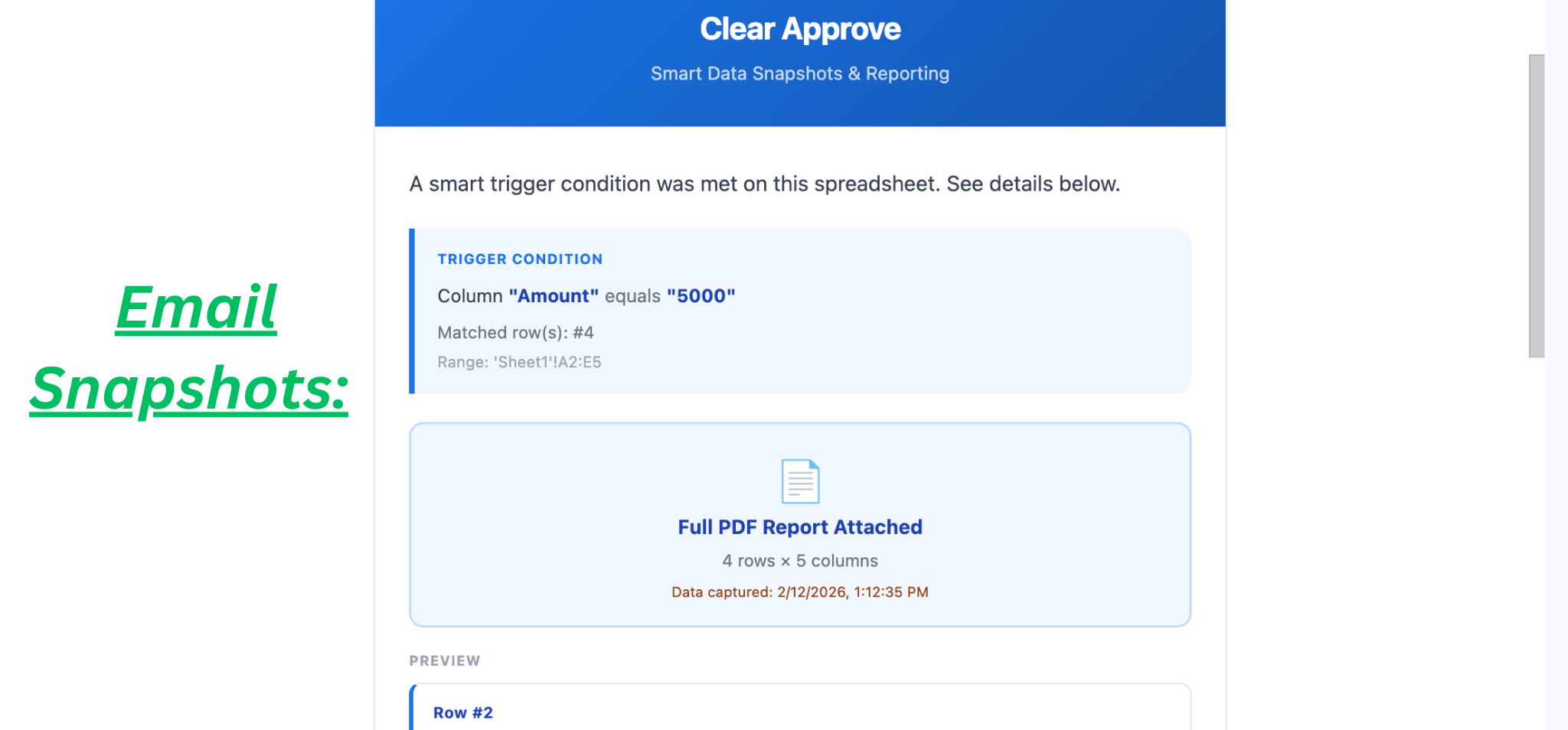
Larger selections are automatically delivered as a PDF attachment for easier reading.
Features
Everything you need, nothing you don't
Email-ready snapshots
Clean HTML cards for small selections, auto-generated PDFs for larger ones. Professional every time.
Scheduled reports
Daily, weekly, or monthly automated snapshots. Always uses the latest data at send time.
Smart Triggers
Auto-send when a cell value matches your condition. Each row fires once — no duplicate emails.
Row-level control
Share only the rows you select. Specify exact ranges for schedules and triggers too.
Auto PDF generation
Larger selections are automatically converted into a clean PDF attachment for easier reading.
Minimal permissions
Only accesses the current sheet and files the add-on creates. No Drive-wide access, ever.
"We set up a weekly schedule for our client reports and a smart trigger for approval notifications. What used to take 30 minutes of copy-pasting now happens automatically."
Pricing
Simple, transparent pricing
$15 / month
Per active sender · Free trial included
One plan covers everything — manual sends, scheduled reports, and smart triggers. Built for teams that share spreadsheet data with clients, stakeholders, or leadership.
- Unlimited manual snapshots (email + auto PDF)
- Scheduled reports — daily, weekly, or monthly
- Smart Triggers — auto-send on data changes
- Exact row-level control for all modes
- No spreadsheet access required for recipients
- Failure notifications if a scheduled send has issues
From the blog
Guides and tutorials
How to Send Google Sheets Rows by Email
Select specific rows and email them as a clean snapshot — no file sharing needed.
ScheduleSchedule Automated Email Reports from Google Sheets
Set up daily, weekly, or monthly reports that send the latest data automatically.
Smart TriggerAuto-Send Email When a Cell Value Changes
Watch a column and auto-email a snapshot when a condition is met.
ComparisonApps Script vs Add-ons for Email Notifications
A practical comparison covering setup time, maintenance, and features.